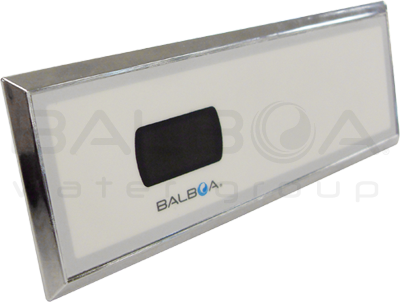
The Titan
THE TITAN BATH CONTROLS | THE DESIGN OF THE FUTURE
| | |
|
Titan UL Domestic
| Titan CE International |
|
|
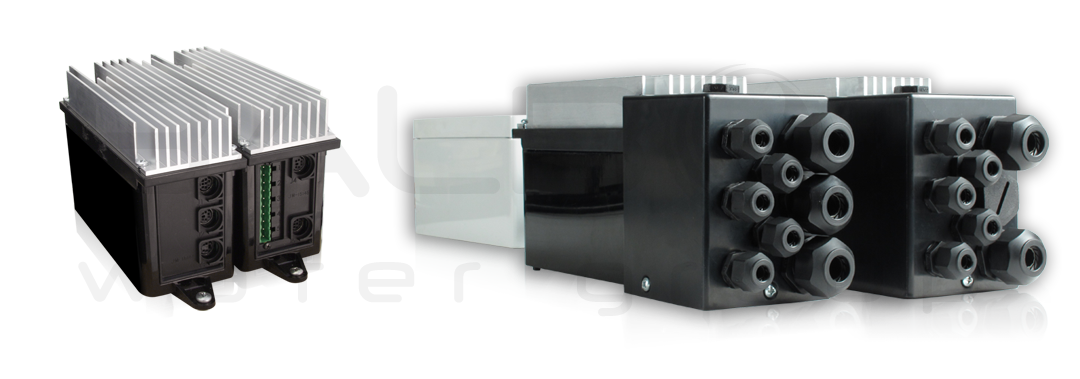
Part No: (90018-XX* UL, 90006-XX* CE) Primary Valve Control Box
• Accepts 6 pin or 8 pin Mini DIN cables
• 5 discrete paired output connectors for valves
Part No: (90031-XX* UL, 90002-XX* CE) • Accepts 4,6 or 8 Mini DIN pin cables
|
| Titan Control Panels - Domestic and International |
|
NEW! Material No. and Specification coming soon.
1.875” H x 5.25” W
47.62mm H x 133.35mm W
|
| Variable Speed Control Box
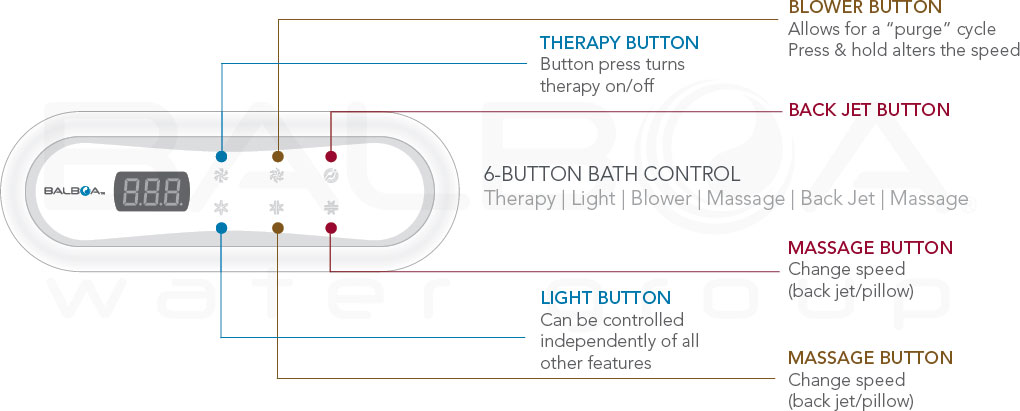
6-Button Bath Control (90010-XX*)
1.875” H x 5.25” W
47.62mm H x 133.35mm W
|  | 
| |
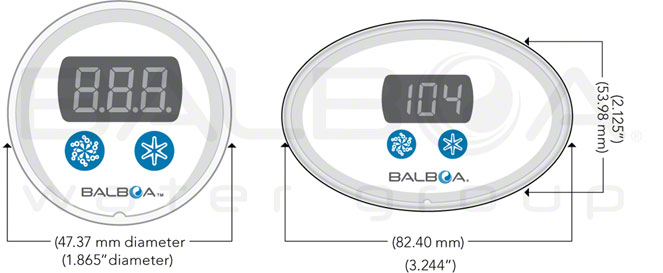
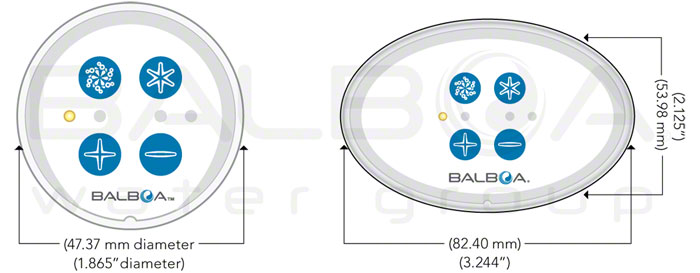
2-Button Round (90011-XX*) Bath Control with O/L (12012)
or Oval (90016-XX*) Bath Control with O/L (12504)
Therapy and Light Buttons
Display
The water temperature will
display during a user session
Therapy Button
A button press turns the therapy on/off
Light Button
The light can be controlled independently of all other features
Session Timer
Turning on the device starts a session timer that lasts for 30 minutes.
The timer can be altered using User Preferences
|
4-Button Round (90013-XX*) Bath Control with O/L (12013)
or Oval (90015-XX*) Bath Control with O/L (12501)
Blower, Light and Speed Buttons
Blower On/Off
Press the blower button once to turn the blower ON at the highest speed.
To turn the blower OFF, press the blower button once.
Increase/Decrease Speed
Press and hold the + or – button
Light Button
The light can be controlled independently of all other features
Session Timer
Turning on the device starts a session timer that lasts for 30 minutes.
The timer can be altered using User Preferences
Modes
Press the blower button twice to put the blower in pulse mode.
Press the blower button three times to put the blower in wave mode.
|
Titan Specs with Material Numbers
| Electrical | Single or variable speed pump
| 120V/13.5 (UL) 230V/13.5A (CE)
| Single or variable speed blower
| 120V/13.5A (UL) 230V/13.5A (CE)
| Valve equipment
| Optional
| | System Material Numbers | |
Domestic Systems
System Variable Speed Bath Control
(Material Number: 90031-XX* UL)
System Primary Valve Bath Control
(Material Number: 90018-XX* UL)
|
4.3” H x 7.4” W x 2.5” D
109.22mm H x 188mm W x 63.5mm D
4.3” H x 7.4” W x 2.5” D
109.22mm H x 188mm W x 63.5mm D
| International Systems
System Variable Speed Bath Control
(Material Number: 90002-XX* CE)
System Primary Valve Bath Control
(Material Number: 90006-XX* CE)
|
4.125” H x 10” W x 2.75” D
104mm H x 254mm W x 70mm D 4.125” H x 10” W x 2.75” D
104mm H x 254mm W x 70mm D
| Enclosure Material
| |
Main Enclosure
Top & Panels
| IR Transmittable Material
Balboa Patented Spa Technology Process
| | Componentry | | J1 Variable Speed Control Box | Panel Cable (8 pin) | | J2 Variable Speed Control Box | Panel Cable (6 pin) | | J3 Variable Speed Control Box | Panel Cable (4 pin) | | J4 Primary Valve Control Box | Sensor Cable (6 pin) | | J5 Primary Valve Control Box | Panel Cable (8 pin)
| Green Connection | Valve Connectors
| 5 Discrete paired outputs
|
* = XX represents the latest model revision of the systems or panels. (Ex. XX will be replaced by 01, 02, 03 etc.) When an order is placed the latest model will be pulled.
Features:
• The Titan system packs more power functions into a single box replacing two of the first generation controls
• New controls use the same patented technology as the BWG spa controls
• Embedded seal switches in a chemical resistant compound provide years of durability and strength
• Enhanced performance. Improved reliability.
Downloads:
Visit Our Titan products click here »
Visit Our Titan Variable Control Kit click here »
Titan Sell Sheet (Domestic) click here »
Titan Sell Sheet (International) click here »
Titan Control Kit Sell Sheet click here
|